Insayby Indraft

Reply and comment writer for Chrome

Replies and comments that sound like you.

Write faster, and still sound like you. Turn rough thoughts into comments, replies and posts, right inside LinkedIn, X, Reddit and Gmail.

Coming soon to Chrome See how it works

Review every draft. Edit anything. You decide when to post.

Free to start-day Plus trial, no cardNever posts for you
Works inside LinkedIn X Reddit Gmail

How it works

You have the point. Insay finds the words.

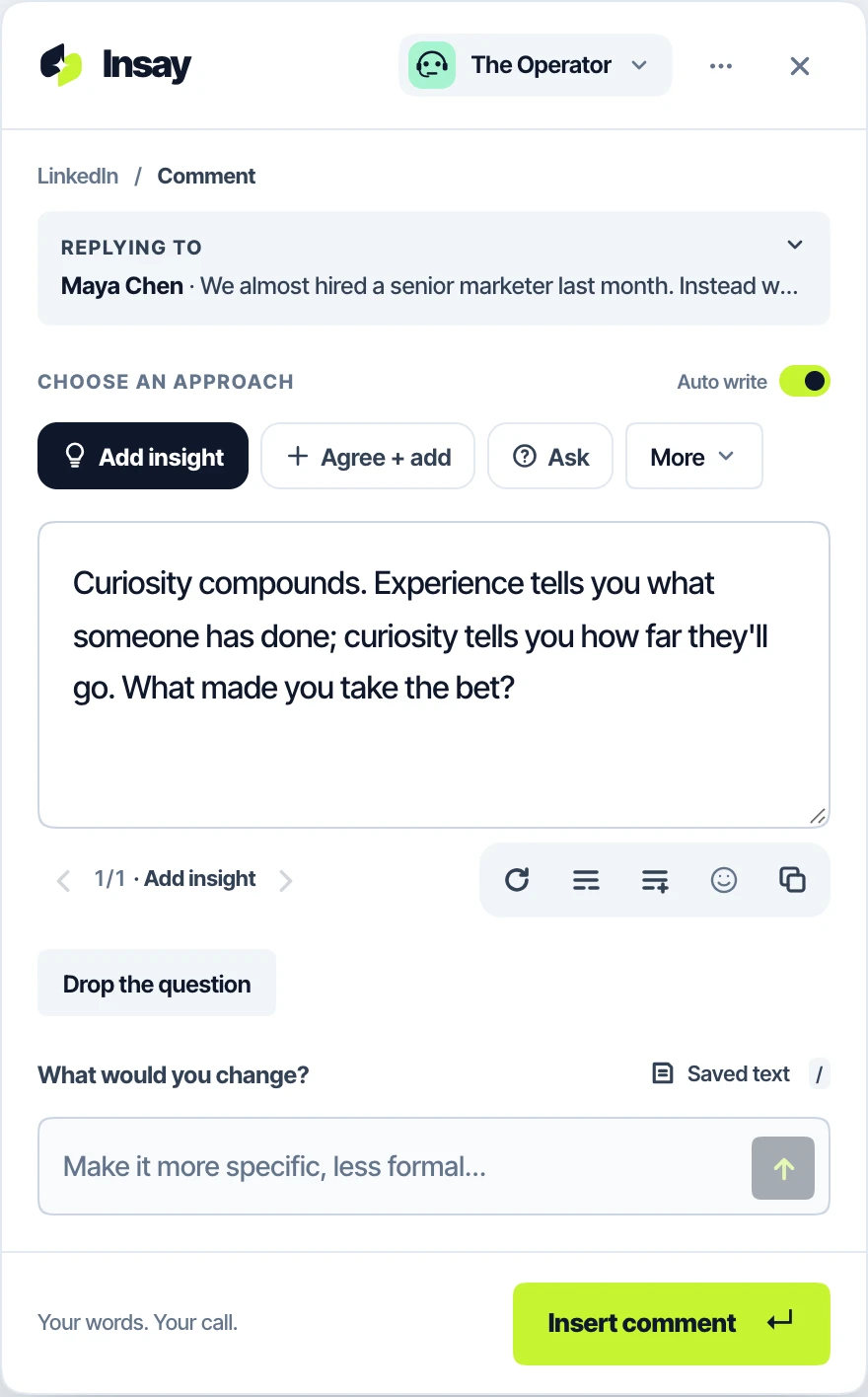
You read a post. You have something useful to add. Then you spend ten minutes wording it. With Insay, you type the rough version and it shapes your words for the place you're writing.

1Open Insay

Open it in the reply box

Tap the Insay button in the box you're in, or press Alt I. It reads the post and the thread around it.

2Your take

Type your rough take

A few words, in any language. Or let Insay suggest what the reply should do: add insight, push back, ask.

3Insert

Insert it. You press Post.

Edit anything, ask for a change in your own words, then Insert. Insay never posts for you.

Your point, keptShaped for each siteChecked for AI fillerNothing posted for you

Who it's for

For people who show up in the conversation.

If your work happens in comments, replies and inboxes, Insay gives you back the time you spend finding the words.

Anyone tired of AI writing

Start with your rough thoughts. Keep your voice.

Your take, your words, your habits. Insay shapes them for the conversation; it doesn't replace them with a chatbot's.

Building visibility

That comment you're overthinking? Your point is already there.

Show up every day on LinkedIn and X with replies that add something, not another "Great post!".

LinkedInX
Founders

You built something worth talking about. Find the words faster.

Comment where your market talks, answer questions about your product, and reply to every lead, without losing the afternoon.

LinkedInXRedditGmail
Consultants and experts

Let your expertise show up in the conversation.

Turn what you know into useful replies under the posts your clients read, and clear answers in your inbox.

LinkedInRedditGmail

Voices

Eight voices. Or yours.

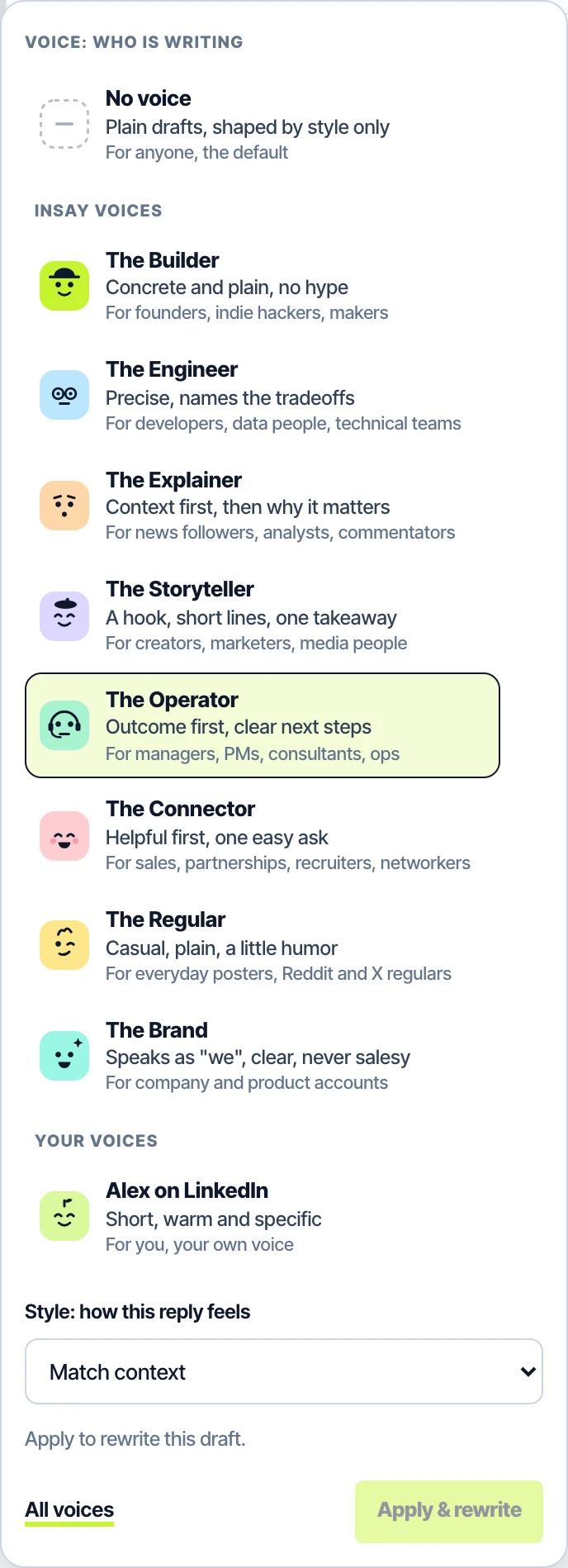
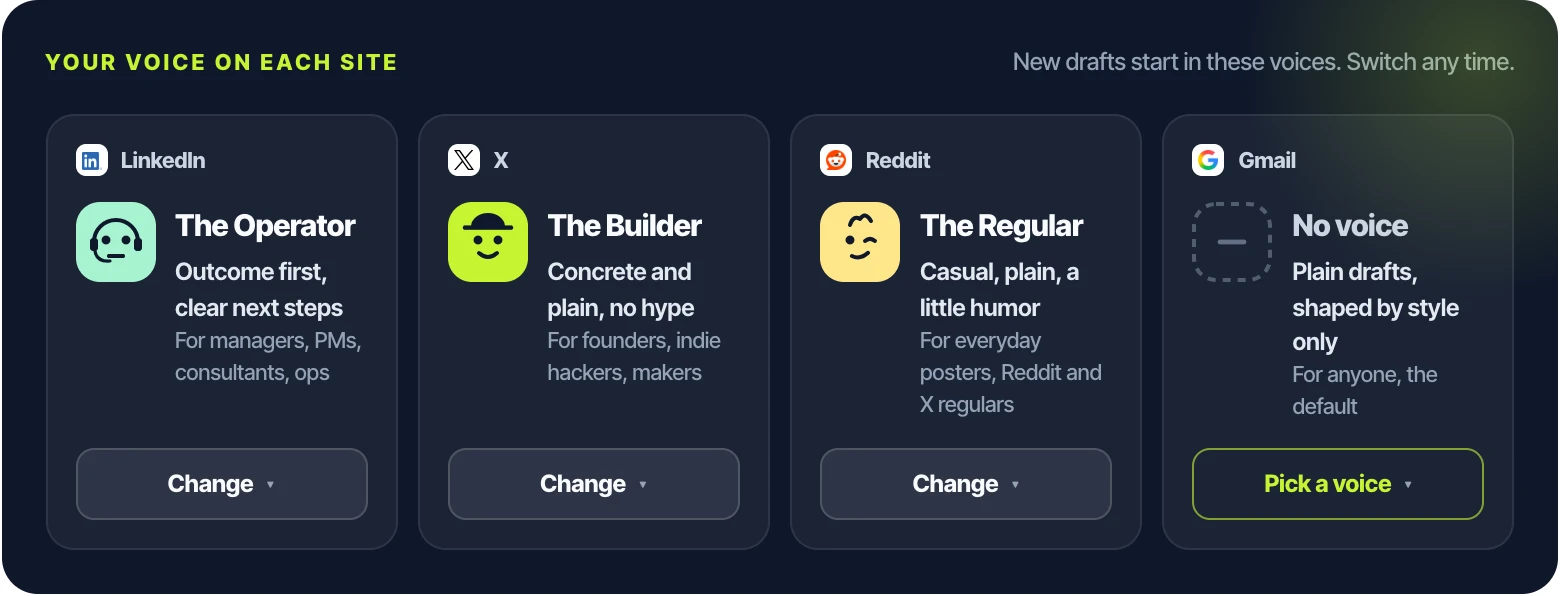
A voice is who's writing: the words, rhythm and habits. Pick the one that sounds like you for each site, and switch styles any time.

  • Eight Insay voices, free, from The Builder for founders to The Brand for company accounts
  • Every voice says what it does and who it fits, so picking takes a second
  • Make your own from things you wrote, or from how you edit Insay's drafts Plus
The BuilderThe EngineerThe ExplainerThe StorytellerThe OperatorThe ConnectorThe RegularThe Brand
The voice picker in Insay's panel: No voice, the eight Insay voices with avatars and what each does, and a custom voice
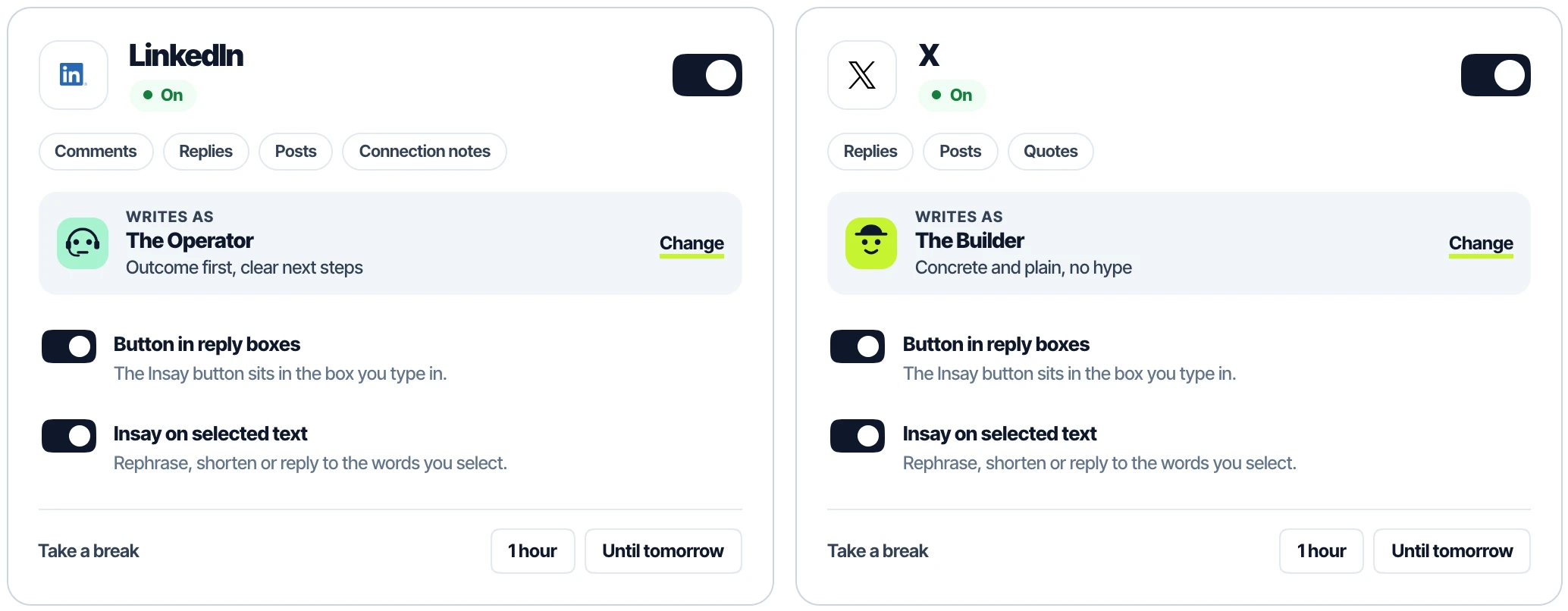
Settings, your voice on each site: The Operator on LinkedIn, The Builder on X, The Regular on Reddit

Snippets

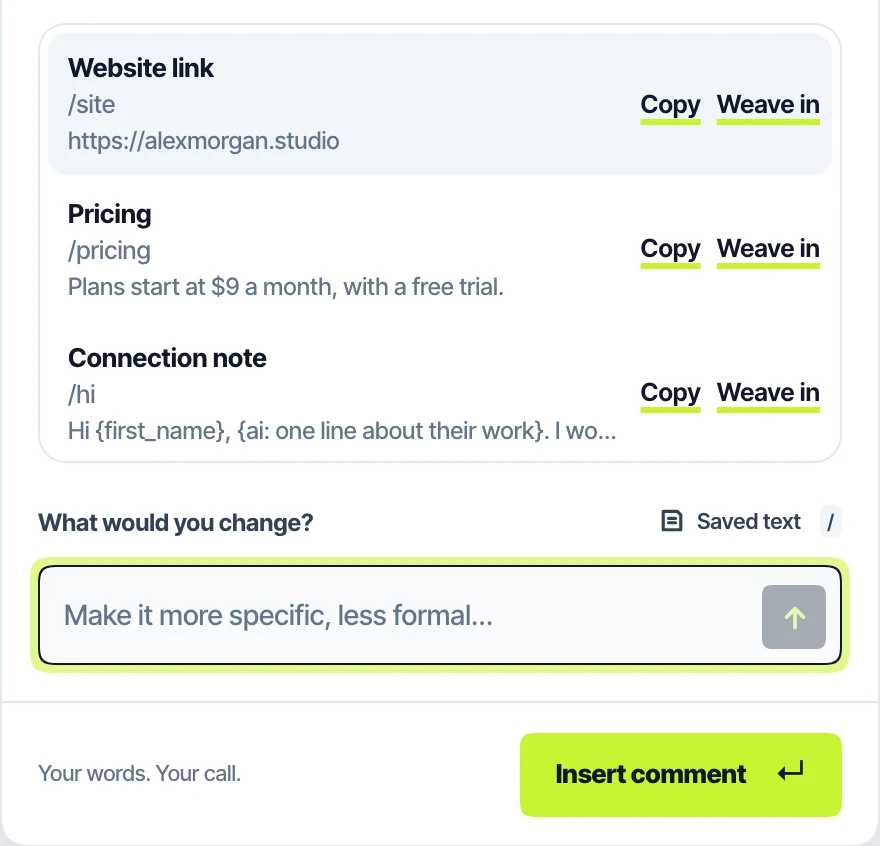
Your words, one "/" away.

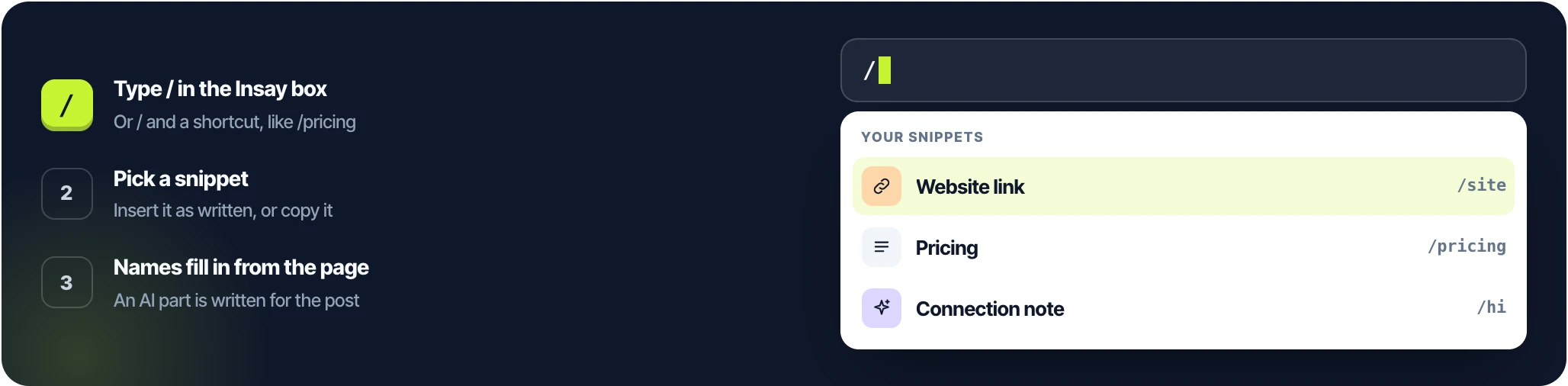
Your links, pricing, bio and connection notes, in any reply box. Names fill in from the page, and an AI part is written for each post.

  • Type / and part of a name, or a shortcut like /pricing
  • Hi {first_name} becomes Hi Priya on her post
  • Say mention my pricing and Insay works it into the reply
How snippets work: type / in the Insay box, pick a snippet, names fill in from the page The snippets menu in Insay's panel: Website link, Pricing and Connection note, each with Copy and Weave in

On your own words

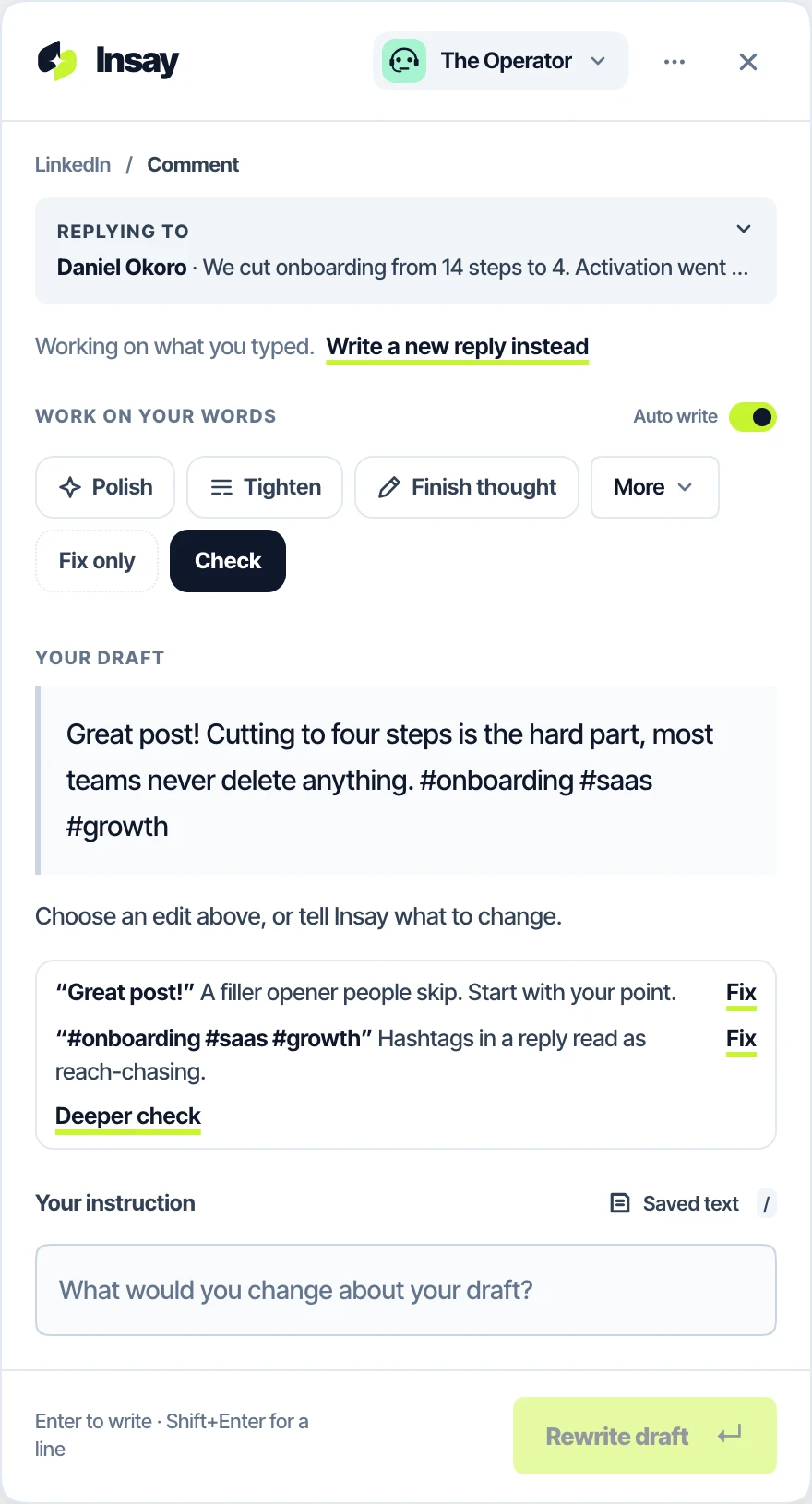
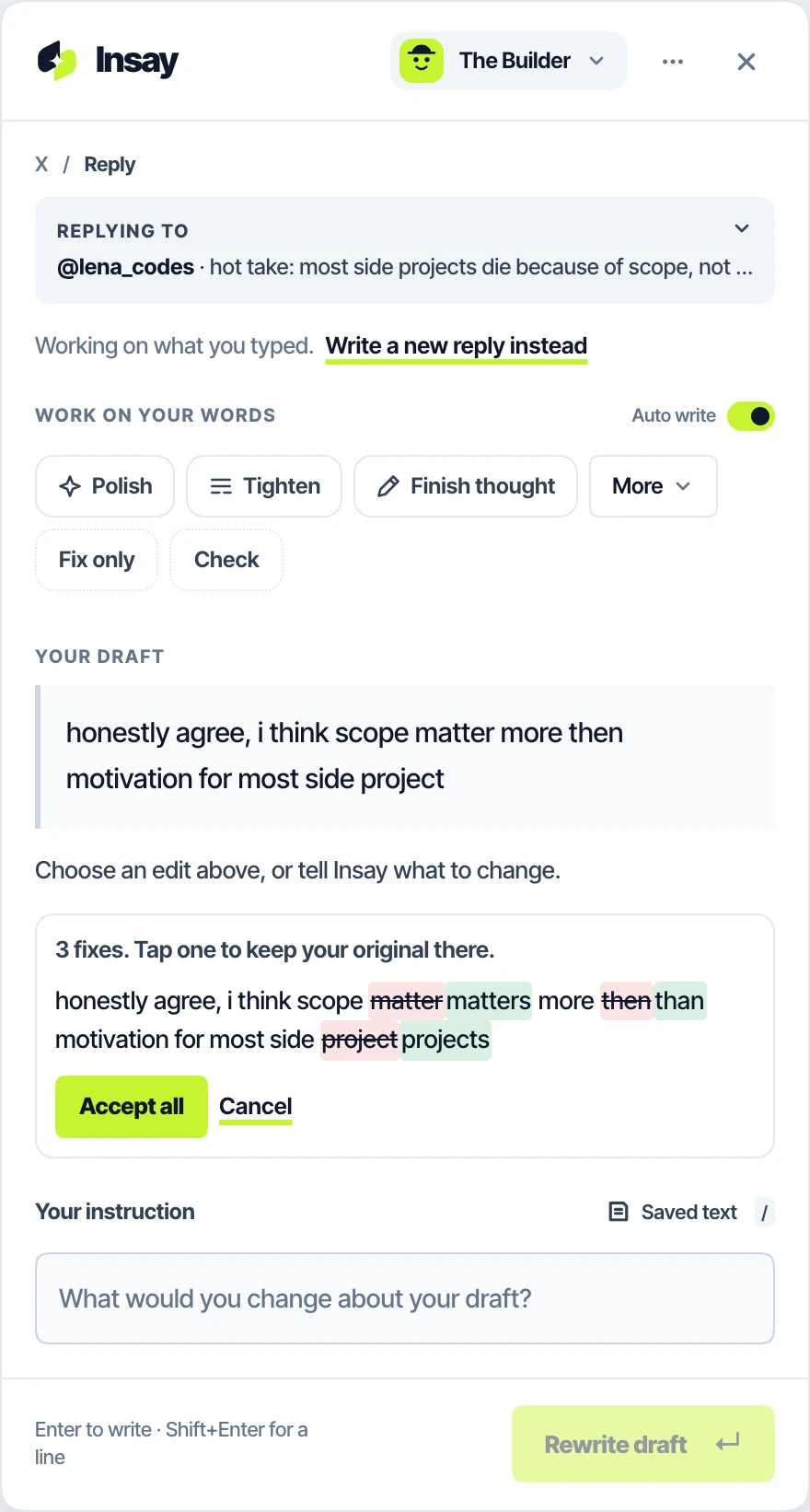
Check it. Fix only what's wrong.

Wrote it yourself? Check shows how it may land before you post. Fix only corrects spelling and grammar and nothing else, and shows every change.

  • Filler openers, engagement bait and hashtag stuffing, each fixed in a tap
  • A deeper read for anything salesy, harsh or unclear Plus
  • Your lowercase, slang and tone stay exactly as you wrote them
Check my draft flags a filler opener and hashtags, each with Fix Fix only shows three corrections as a diff, with Accept all

Your control

On where you want it. Off where you don't.

Each site has its own switch, its own voice and its own pause. Changes reach open tabs straight away, and a site that's off gets no button and nothing is read.

  • Pause a site for an hour or until tomorrow, from the toolbar
  • Hide the button and open Insay with a shortcut instead
  • Insay on selected text: rephrase, shorten or reply to any part
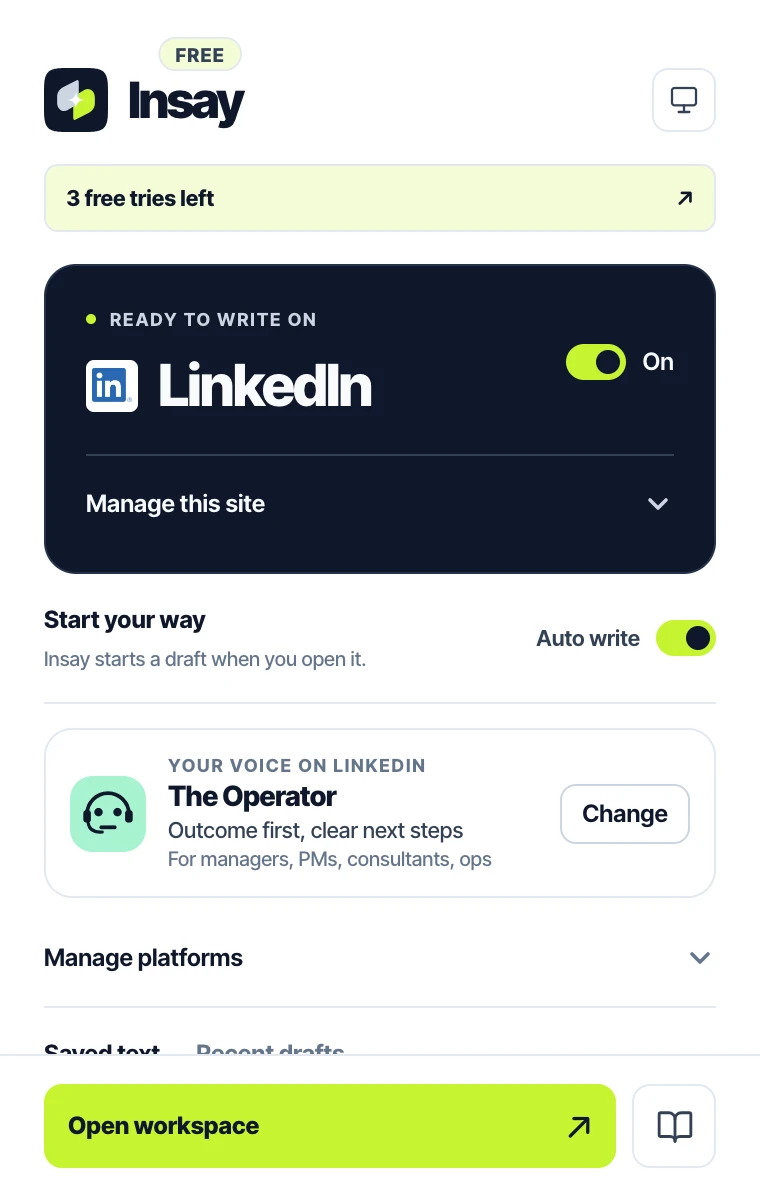
Platform settings: LinkedIn and X on, each with its voice, button and selection switches, and a pause Insay's toolbar popup on LinkedIn: on, auto write, and The Operator voice

Under the hood

Writes like a person, not an assistant.

Every draft is checked before you see it, by rules written in code, not by hoping the model behaves.

Actions, not tones

Choose what the reply does, not a mood. The ranked actions change with the site and the thread.

On a question post:AnswerRecommendExplain

Your point, said well

Type your take in rough words and Insay writes it properly, keeping your position.

"save it until I know my bottleneck"→a clean, two-line reply

Never invents facts about you

No made-up jobs, teams, results or "in my experience". Claims about you need your words.

"In my 10 years at Google, …"Only what you said about yourself.

Never promises for you

Dates, yes or no, availability: Insay leaves a gap and won't insert until you fill it.

"Does [day] at [time] work?"→"Does Friday at 3pm work?"

No AI filler

No summary of the post, no motivational wrap-up, none of the phrases that give a bot away.

Great question!Thanks for sharingGame changerem dashes

Reads the room

It matches how long and how casual the other replies are, and doesn't repeat what they already said.

Thread is short and lowercase?so is yours

Careful on hard posts

On a post about a loss, an illness or a layoff, drafts stay short and kind.

JokesPushbackShort and kind

Think in any language

Type your take in Hindi, Tamil, Spanish or anything else. The reply comes out in the language of the conversation.

"अनुभव से ज़्यादा जिज्ञासा"→"Curiosity beats experience."

Reply to one part

Highlight a sentence in someone's post and the reply answers that part, not the whole thing.

We cut onboarding to four steps. Activation went up 31%. Next: pricing.

Built for each site

Four sites. Four different jobs.

A LinkedIn comment, a tweet, a Reddit answer and an email are different jobs. Insay treats them that way.

LinkedIn

Add insightAgree + addAskCounterpointShare an exampleCongratulate
  • Comments, replies, direct messages, connection notes and new posts
  • No praise-only comments: agreement always adds something
  • On your own post, replies thank and answer the people who commented

X

Quick takeAgree + addCounterAskMake it funnyTL;DR
  • Replies, posts and quote posts
  • Respects your character limit, Premium included
  • Reads the posts above yours in the thread

Reddit

AnswerAdd a pointAskPush backRecommendExplainShare experience
  • Reads the subreddit, the post and the comments around yours
  • Matches the thread: terse and lowercase stays terse and lowercase
  • Knows a community's rules on self-promotion

Gmail

Answer allConfirmDeclineAsk clarificationNeed more timeFollow-up
  • Reads the latest message, not the quoted history below it
  • Answers every question, leaving gaps for what only you know
  • Keeps your signature where it is

Privacy

Reads only when you tap.

Nothing on the page is read until you open Insay. Your drafts are never stored on a server.

  • Switch Insay off on any site, instantly. A site that's off gets no button and nothing is read.
  • Your edits, history and recent takes stay on your device, never synced or sent.
  • Usage statistics say what happened, never what you wrote, and you can turn them off.
  • With your own API key, text goes straight from your browser to your AI provider. Privacy policy

Pricing

Free to start.

A few tries with nothing to set up. Sign in with Google for days of Plus, free and with no card, then a free daily allowance.

To start

Free

$0 forever

drafts a day after your trial, one draft per tap.

  • All Insay voices
  • Snippets, facts and rules
  • Check my draft and Fix only
Most popular

Plus

Make Insay sound more like you. Custom voices from your writing, drafts to choose from every time, and drafts a month.

  • Saved actions and the deeper check
  • No API key needed. AI usage is included.
  • Free for days, no card
For developers

BYOK

Requires your own API key. AI usage is billed by your provider, not by Insay.

  • No generation limit from Insay
  • Every paid feature, on your own key
  • Use on up to 2 browsers.
Compare every feature and price

Questions

Good to know.

Will it sound like AI?

That's what Insay is built against. You start with your own take, a voice keeps your words and habits, and every draft is checked in code for AI filler, summaries of the post and em dashes before you see it.

Does Insay post for me?

Never. Insert puts the draft in the box, and you press Post, Reply or Send yourself.

What does it read?

Only after you tap: the message you're replying to, a few messages around it in the same thread, the post title or email subject, and what you already typed. Never profiles, post history or other pages.

Is my text stored?

No. Page text and drafts are used to write the reply and then discarded. Insay's server logs ids and timings, never content.

Which AI does it use?

Free and Plus use Anthropic's Claude through Insay. With BYOK you choose: Anthropic Claude, Google Gemini, DeepSeek, OpenAI or any OpenAI-compatible endpoint, with automatic backups if one fails.

Does it work in my site's dark mode?

Yes. The panel follows each site's light or dark theme.

Write faster. Still sound like you.

Start with your rough thought. Insay finds the words, in your voice, and you press Post.

Coming soon to Chrome See pricing
Works inside LinkedIn X Reddit Gmail